Emergency support
MITSUBISHI CONNECT provides a range of connected services designed to support the subscribed Mitsubishi Outlander and its occupants during emergency situations.
For example, if a driver or passenger suffers a sudden illness or serious injury, emergency assistance can be requested by pressing the in-vehicle SOS switch. The system then attempts to connect the vehicle with the MITSUBISHI CONNECT Response Center.
When a connection is established, the MITSUBISHI CONNECT Response Center can identify the vehicle's location using GPS information and, when necessary, provide relevant information to the police, emergency responders, or other appropriate agencies.
For information about additional MITSUBISHI CONNECT emergency support services, contact MITSUBISHI CONNECT Customer Support at 1-888-564-1411 in the U.S. or 1-888-576-4878 in Canada, or refer to the MITSUBISHI CONNECT website at https://www.mitsubishimotors.com/en/products/connect.
WARNING
- Be aware that the Automatic Collision Notification service and Emergency Call function may be unavailable under the following conditions:
- Emergency functions and connected services are not available without an active paid subscription to MITSUBISHI CONNECT.
- The MITSUBISHI CONNECT network system is disabled or unavailable.
- The vehicle is outside the service area in which the TCU (Telematics Control Unit) can communicate with the connected service network.
- The Mitsubishi Outlander is outside an area with available cellular network coverage.
- The vehicle is in an area with weak or blocked signal reception, such as a tunnel, underground parking garage, behind large buildings, or in mountainous terrain.
- The communication line is busy or temporarily unavailable.
- The TCU (Telematics Control Unit) or another required vehicle system is not operating properly.
- Depending on the severity or circumstances of a collision or other emergency, the system may not be able to place an emergency call.
- Before manually operating the SOS switch, stop the vehicle in a safe location and apply the parking brake.
- Use the emergency call service only for genuine emergencies.
Inappropriate or improper use of the service may result in penalties.
- Radio-frequency signals generated by the system may affect certain electronic medical devices. Anyone who uses a pacemaker or similar medical equipment should consult the equipment manufacturer regarding possible interference before using the system.
- The TCU (Telematics Control Unit) antenna is installed inside the upper central section of the instrument panel. Occupants using a pacemaker should maintain at least the separation distance specified by the pacemaker manufacturer. Radio waves emitted by the TCU antenna could adversely affect pacemaker operation.
Making an emergency call
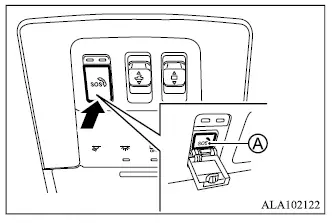
The SOS switch used for the Mitsubishi Outlander emergency call system is located near the map light assembly.
1. Push the protective cover to expose SOS switch A.
2. Push the SOS switch to initiate an emergency call.
3. When the connection to the MITSUBISHI CONNECT Response Center is established, speak clearly with the Response Specialist and provide any requested information.
If you need to cancel the emergency call, press and hold the SOS switch for several seconds.
NOTE
- After the SOS switch is pressed, establishing a connection may take some time depending on network conditions, the technical environment, and whether the TCU (Telematics Control Unit) is currently being used by another connected service.
- An indicator light in the SOS switch shows the operating readiness of the emergency support system.
If the indicator light is not illuminated, pressing the SOS switch will not connect the Mitsubishi Outlander with a Response Specialist.
The indicator light flashes while the vehicle is connected with the MITSUBISHI CONNECT Response Center.
- Even when the SOS indicator light is illuminated, a connection to the MITSUBISHI CONNECT Response Center may still be unavailable because of network or system conditions. If this occurs during an emergency, contact the appropriate authorities using another available method.
- To reduce the possibility of the emergency communication being interrupted, leave the engine running during the call when it is safe and appropriate to do so.
For USA:
FCC: XMR201905AG35NA
This device complies with Part 15 of the FCC Rules. Operation is subject to the following two conditions:
1) this device may not cause harmful interference and
2) this device must accept any interference received, including interference that may cause undesired operation of the device.
For Canada:
IC: 10224A-2019AG35NA
This device contains license-exempt transmitter(s)/receiver(s) that comply with Innovation, Science and Economic Development Canada's licence-exempt RSS(s).
Operation is subject to the following two conditions:
1. This device may not cause interference, and
2. This device must accept any interference, including interference that may cause undesired operation of the device.
L'émetteur/récepteur exempt de licence contenu dans le présent appareil est conforme aux CNR d'Innovation, Sciences et Développement économique Canada applicables aux appareils radio exempts de licence. L'exploitation est autorisée aux deux conditions suivantes :
1. l'appareil ne doit pas produire de brouillage, et,
2. l'utilisateur de l'appareil doit accepter tout brouillage radioélectrique subi, même si le brouillage est susceptible d'en compromettre le fonctionnement.
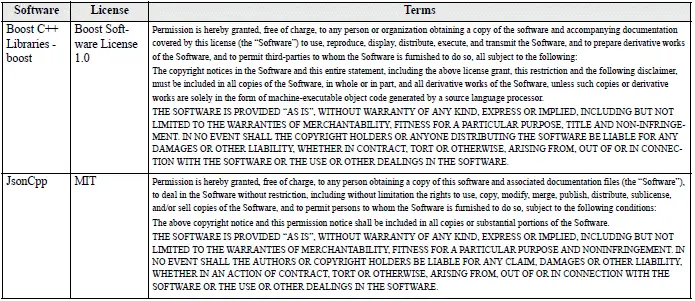
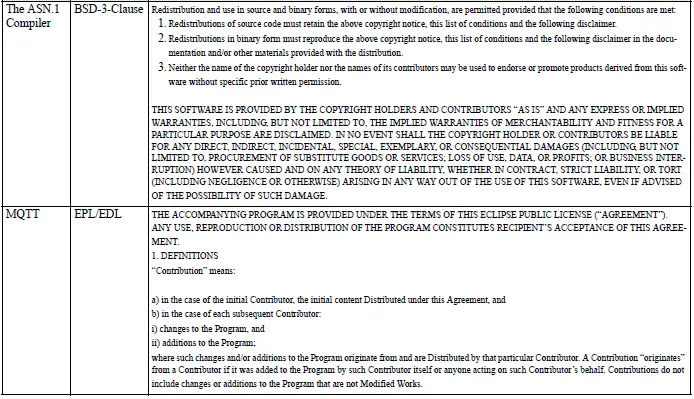
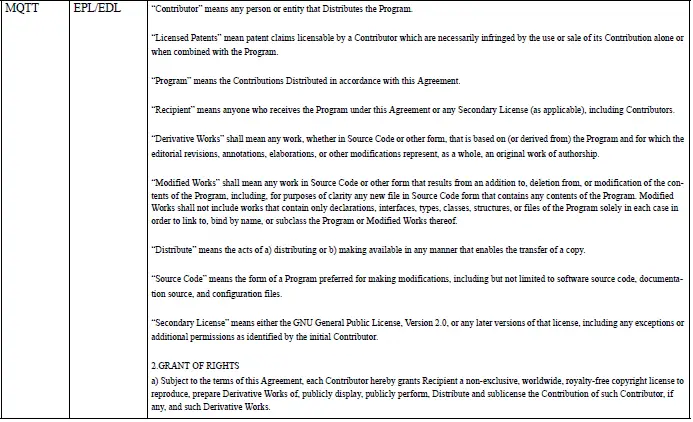
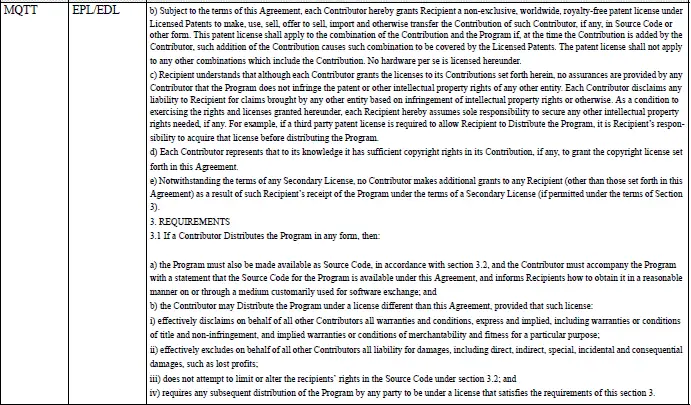
License terms
The Mitsubishi Outlander emergency call system incorporates open source software. The following information provides the applicable open source software licensing terms and notices.