
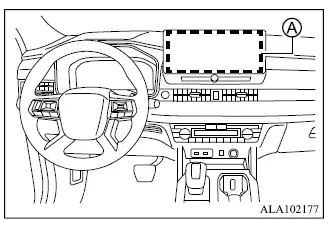
- Smartphone-link Display Audio [SDA]
WARNING
- Failure to follow the warnings and instructions for proper use of the Rearview camera system could result in serious injury or death.
- The Rearview camera is a driver-assistance feature and is not a substitute for proper reversing procedures.
Before moving the Mitsubishi Outlander in reverse, always turn and look through the windows and check the mirrors to make sure the surrounding area is clear.
Always reverse slowly and remain prepared to stop.
- The system is intended to assist the driver by displaying large stationary objects directly behind the vehicle and helping reduce the risk of contacting nearby objects while reversing.
- The distance guide lines and vehicle width guide lines should be used only as approximate references when the vehicle is positioned on a level, paved surface. Distances shown on the monitor may differ from the actual distance between the Mitsubishi Outlander and objects visible in the camera image.
CAUTION
- If the camera lens becomes dirty, the displayed image may become unclear. Rinse the lens with clean water when necessary and gently wipe it with a clean, soft cloth.
- To help prevent damage to the Rearview camera:
- Do not rub the camera cover excessively or polish it with abrasive compounds.
- Do not disassemble or modify the camera.
- Do not splash hot water directly onto the camera lens.
- Do not direct high-pressure water at the camera or the surrounding area.
- Make sure the liftgate is completely closed before reversing the vehicle.
The Rearview camera system automatically displays the area behind the Mitsubishi Outlander when the shift lever is moved to the R (Reverse) position.
Audio from the radio continues to operate while the Rearview camera image is displayed.
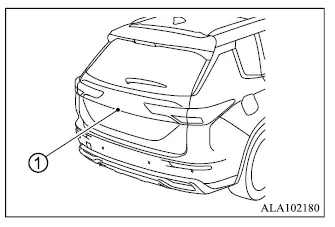
To provide the rearward image, the Rearview camera system uses camera 1 located just above the vehicle's rear license plate.
- Rearview camera system operation
- How to park with predictive course lines
- Rearview camera system limitations
