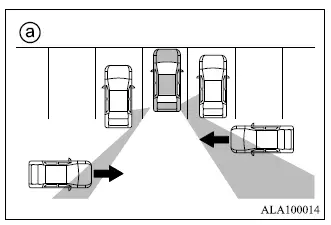
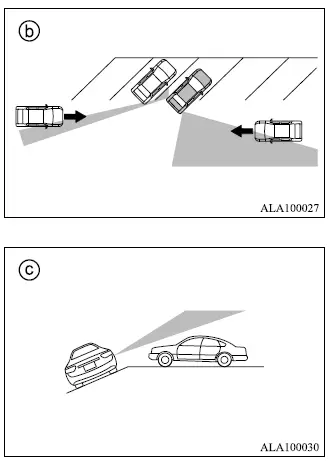
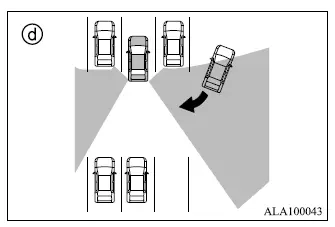
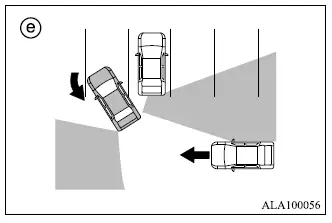
The Rear Cross Traffic Alert [RCTA] system is designed to help warn the driver when another vehicle is approaching from the side while the Mitsubishi Outlander is backing out of a parking space.
When the shift position is set to R (Reverse) and vehicle speed is below approximately 5 MPH (8 km/h), the RCTA system becomes operational and monitors the area behind the vehicle for approaching cross traffic.
If the radar sensors detect a vehicle approaching from either side, the system sounds a chime once, the side indicator light 1 flashes on the side from which the vehicle is approaching, and a yellow rectangular frame appears in the rear-view image shown on the Smartphone-link Display Audio [SDA] screen 3.
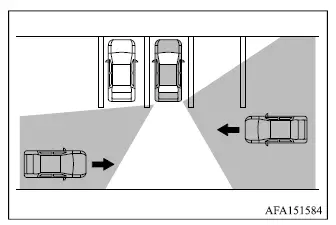
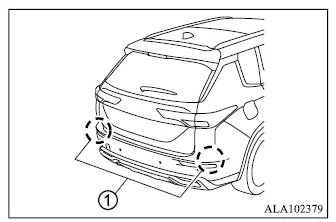
The RCTA system uses radar sensors 1 installed on both sides near the rear bumper of the Mitsubishi Outlander to monitor for vehicles approaching from the left or right while reversing.
Under suitable conditions, the radar sensors 1 may detect an approaching vehicle from a distance of up to approximately 66 ft (20 m).
How to enable/disable the RCTA system
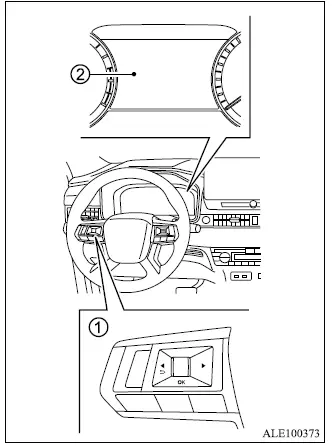
- Steering wheel remote control switches (left side)
- Multi-information display
Perform the following steps to enable or disable the RCTA system through the Mitsubishi Outlander multi-information display.
1. Press the
 button until "Settings"
appears in the multi-information display
2, and then push the scroll dial. Use the
scroll dial to select "Driver Assistance".
button until "Settings"
appears in the multi-information display
2, and then push the scroll dial. Use the
scroll dial to select "Driver Assistance".
Then push the scroll dial to open the selected menu.
2. Use the button to select "Rear Cross Traffic Alert", then press the scroll dial to enter the RCTA setting.
3. Use the scroll dial to enable or disable the system according to your preference.
NOTE
- The selected RCTA system setting is retained even after the Mitsubishi Outlander engine is switched off and restarted.